


Morse Mania: Learn Morse Code
4.82.16K Reviews
App Specs
- Version
- 9.5.0
- Updated On
- License
- Free
- Downloads
- 1,000,000+
- Developer
- Dong Digital
- Categories
- Educational
- Platform
- Android
Screenshots
 Analysis by AppCompare
I first tried Morse Mania: Learn Morse Code as a small curiosity: could a game make dots and dashes stick without turning practice into homework? The answer depends on what you want from it. It gives learning a playful structure, with listening and responding built into the experience, so I found it easier to return for a short session than I would with a plain reference chart. It is still a skill that takes repetition, though; a few successful rounds are not the same as being able to decode a message at speed.
That difference matters when you share a phone or tablet. One person might be keen to practise while someone else just wants a quick look, and Morse training rewards focused attention more than casual tapping. I’d treat it as a lightweight learning game that can fit into a household routine, not as a shared account or a substitute for a dedicated radio-training setup.
Learning Morse in Short, Shared Sessions
I’d use a short shared session to make Morse practice feel like a puzzle rather than a lesson: take turns listening, guessing, and explaining what helped. That works best when everyone agrees that mistakes are part of the exercise, not a scorecard. Once the household has a comfortable rhythm, it’s worth deciding how each person will use the shared device and keep their practice expectations clear.
A small practice window can work well
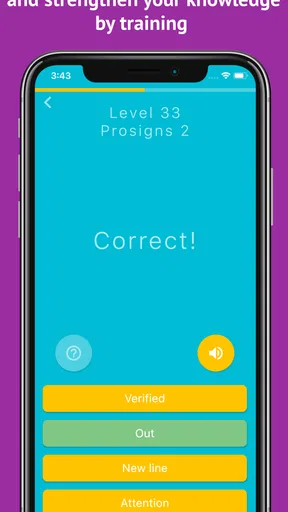
A realistic use is a few minutes after dinner: one person listens to a short sequence, another tries to identify it, then they swap roles. The app’s audio-and-visual approach gives a beginner more than one clue to work with, which is useful when the sound alone still feels like a blur. I’d keep early rounds brief and stop before everyone gets impatient; the point is to build recognition, not to turn a casual family activity into a test.
On a shared device, it helps to agree whose turn it is and to avoid treating a score as a measure of who is “good” at Morse. A child may enjoy the game-like challenge while an adult is still learning the same letters. That makes it a nice low-pressure activity, but it also means I would not assume the app automatically separates people’s progress or preferences. If several household members use it, decide together how to handle the device and any personal settings before starting.
Set expectations before the first challenge
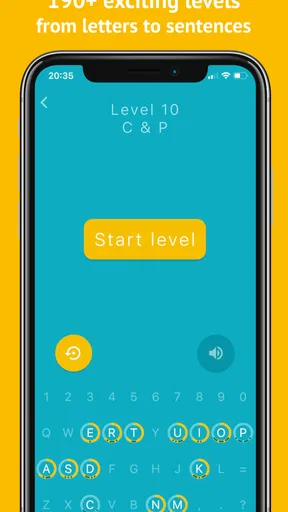
The learning path begins with individual letters and numbers before moving toward more involved exercises. That gradual progression is friendly to a first-timer, but learners still benefit from choosing a pace that leaves room to think. I would slow the code down when a new pattern is introduced, then raise the speed only after I can recognize it more than once without guessing. Pushing the pace too early can make a familiar sequence feel like noise rather than learning.
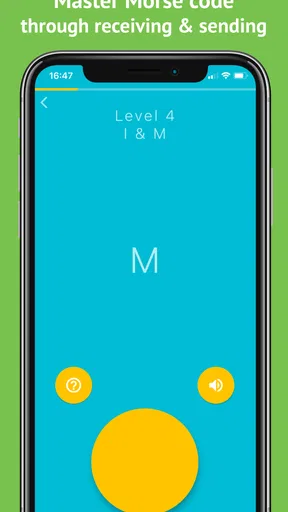
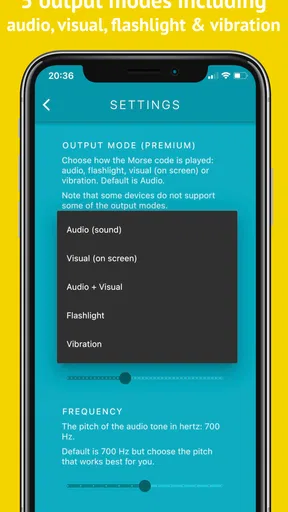
There is also a practical difference between recognizing a pattern on screen and understanding it from sound alone. Since the app presents audio alongside visible code, I’d use that support at first, then deliberately pay attention to the sound and try to answer before looking at the visual cue. That little self-imposed step makes practice more useful if your goal is listening rather than simply matching shapes. It is a workflow choice, not a reason to dismiss the visual help that makes the early lessons approachable.
Worth Reading Before You Choose

EA SPORTS FC Mobile 26 Is a Bigger Football Game, but It Takes Time

Flipboard Shows What News Apps Must Do Beyond the Feed

Switching to Android Auto Means Rethinking Your Driving Routine

Google Calendar Makes a Crowded Week Easier to Manage

Ludo King Makes the Most of the Minutes Between Plans

Baby Panda World Brings Quick Play to Modern Phones, but Its Game Library Feels Busy
Coordinate turns without turning it into a contest
The challenge modes can give practice a satisfying target, and the leaderboard adds a competitive element. In a household, I’d use those features as optional motivation rather than the main event. Someone who is new to Morse may need more time than a person who has already practised, so comparing results too closely can make the activity less welcoming. Taking turns setting a personal goal—such as trying a sequence again at a comfortable pace—keeps the focus on improvement.
For solo use, the practice mode is a good fit when you have a spare moment but do not want the pressure of a ticking clock. A useful routine is to revisit a small set of difficult patterns, listen carefully, and then try a challenge once you feel ready. That is more deliberate than tapping through rounds as quickly as possible, and it makes the adjustable speed feel like a learning tool rather than just a difficulty setting.
Who it suits, and where another option wins
I’d recommend this to curious beginners, people who enjoy bite-sized educational games, and anyone who wants a structured way to explore Morse code. It may also appeal to a household looking for a short activity that can be shared by taking turns. If your goal is to learn the basics for fun, the combination of lessons, audio, and challenges is more inviting than repeatedly checking a static alphabet chart.
A chart or a plain code reference is still better when you only need to look up one symbol quickly. A conventional text lesson may suit someone who wants a slower explanation without game challenges, while serious listening practice calls for focused repetition rather than relying on visual prompts. Morse Mania sits between those options: it makes practice more interactive than a chart, but it is not a shortcut around the patience needed to recognize patterns consistently.
Families should also think about age and attention. The game is rated for Everyone, so its subject is broadly approachable, but that does not mean every child will enjoy repeated listening exercises or competitive rounds. I would introduce it as an optional puzzle, sit nearby at first if a younger player needs help understanding the task, and let them stop when it stops being fun. It is a learning activity, not a reason to hand over a device for an unlimited session.
What the app is like to live with
Dong Digital’s educational game has been available since May 16, 2019, and it has reached over one million installs. It holds a 4.8 average from around 35,000 ratings, which suggests that many players respond well to its focused idea, though those figures cannot tell you whether its teaching style will suit your household. The current version is 9.5.0, and it runs on Android 7.0 or later. It is free to start, with in-app purchases priced from $0.99 to $8.49 per item.
For a shared device, the practical question is not just whether the game is free to download, but whether everyone is comfortable with optional purchases. I’d make that expectation clear before handing the device to a child, and check the purchase settings on the device itself rather than assuming the game provides family controls. The game’s appeal is its focused practice, not a promise of household profiles or purchase management.
My take after spending time with it
First impressions matter, and Morse Mania doesn't disappoint. The interface is sleek, with a vintage vibe that sets the mood just right. As soon as you open the app, it feels like you’ve stepped into a Morse code enthusiast’s lair, which is pretty cool. The app is available on both Android and iOS, so you can dive into the world of Morse from anywhere.
Now, let’s talk about the learning process. The app is structured in a way that makes picking up Morse code quite intuitive. It starts with the basics – learning each letter and number individually. It’s like a gentle introduction, ensuring you don’t get overwhelmed. I found the incremental approach really helpful. Each lesson builds on the last, gradually increasing complexity without feeling like you’re jumping off the deep end.
The app also includes audio cues, which is fantastic. You hear the Morse code and see it simultaneously, which is a great way to reinforce learning. Plus, the audio quality is spot on – crisp and clear. I often found myself tapping along with the beats, which made the whole experience surprisingly interactive.
How the challenges fit into practice
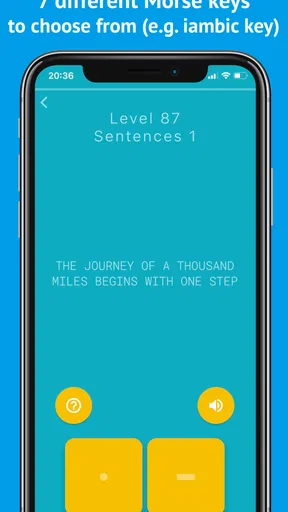
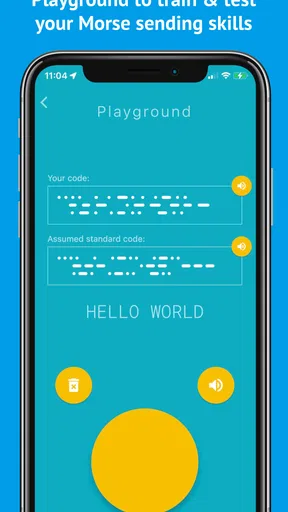
Once you’ve got the hang of the basics, Morse Mania throws in some challenges to test your skills. These challenges range from translating Morse code to sending messages yourself. I particularly enjoyed the speed challenges – they really get your adrenaline pumping. It’s like a game within a game, and who doesn’t love a bit of healthy competition with themselves?
The app also offers various modes, including a practice mode where you can hone your skills without pressure. It’s perfect for when you just want to chill and practice a bit without the ticking clock.
Adjusting the pace and keeping motivation
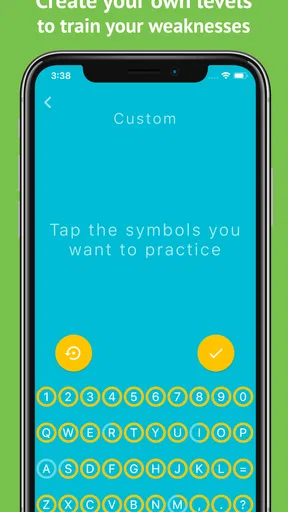
One of the features I loved most was the ability to customize your learning path. You can adjust the speed of the Morse code, which is a game-changer. If you’re just starting, slowing things down can really help cement those tricky sequences. For those looking for a challenge, cranking up the speed is a sure way to test your mettle.
There’s also a leaderboard feature, which adds a bit of a competitive edge. It’s always fun to see where you stand among other Morse code enthusiasts worldwide. This feature gives the app a community feel, making learning feel less solitary.
A focused choice for curious learners
In a world brimming with language learning apps, Morse Mania carves out its niche by focusing on a skill that’s both historical and practical. It’s not just about learning Morse code; it’s about immersing yourself in a part of history while having a blast. The app does a stellar job of balancing education and entertainment.
For anyone interested in communication, history, or just looking for a unique hobby, this app is a fantastic gateway. You get to learn at your own pace, challenge yourself, and maybe even impress some friends with your newfound skills.
So, if you’re ready to tap into the world of dots and dashes, give Morse Mania: Learn Morse Code a spin. It's more than just an app; it's a journey into the art of communication.
The household verdict
My recommendation is to try it when you want an approachable, game-shaped introduction and can give the sound patterns your attention. It works particularly well for brief solo practice or taking turns with someone who is equally curious. I would skip it if you need only a quick symbol lookup, want a text-only explanation, or expect a single app to provide a complete route to confident real-world listening. Used with realistic expectations, it makes an unusual subject easy to explore and gives a beginner a reason to come back for another short session.
Pros
- Engaging and interactive lessons.
- Suitable for all learning levels.
- Offline mode available.
- Comprehensive progress tracking.
- Fun mini-games enhance learning.
Cons
- Limited free features.
- Occasional app crashes.
- Requires frequent updates.
- Some lessons feel repetitive.
- Ads can be intrusive.
FAQs for Morse Mania: Learn Morse Code
What is Morse Mania: Learn Morse Code and what can I expect from it?
Morse Mania: Learn Morse Code is an educational app designed to teach users Morse code in a fun and interactive way. The app features a variety of levels and challenges that gradually increase in difficulty, helping users to learn and master Morse code at their own pace. Expect engaging lessons, quizzes, and games that make learning enjoyable.
Is Morse Mania suitable for beginners with no prior knowledge of Morse code?
Yes, Morse Mania is perfect for beginners. The app starts with basic lessons that introduce the fundamental concepts of Morse code. It then progressively builds on this knowledge, allowing users to develop their skills through practice and repetition. The app's user-friendly interface and step-by-step guidance make it accessible for all learning levels.
What platforms is Morse Mania available on, and is it free to use?
Morse Mania is available for both Android and iOS devices. While the app offers a free version with basic features, there may be in-app purchases or premium versions available that provide additional content and features. This allows users to try the app and decide if they want to invest in the full experience.
How does Morse Mania keep users motivated to continue learning?
Morse Mania incorporates a variety of gamified elements to keep users engaged. This includes achievements, leaderboards, and daily challenges that encourage regular practice. The app's interactive and competitive aspects provide motivation and make the learning process enjoyable, helping users to stay committed to mastering Morse code.
Are there any accessibility features in Morse Mania for users with disabilities?
Morse Mania strives to be inclusive by offering features that cater to users with disabilities. The app includes adjustable text sizes, audio prompts, and visual aids to accommodate different learning needs. These features ensure that users with varying abilities can effectively learn Morse code and enjoy the app's offerings.


